
Click. Record. Done.
QuickRec
Screen recording from the menu bar.
Version 1.0.2. Free, with no trial, no key and no account. Open the disk image and drag QuickRec to Applications.
One click to start. One click to stop.
- Click the icon in the menu bar and choose Record Screen, or press Control + Option + Command + R anywhere.
- While recording, a red dot with a timer sits in the menu bar. Click it to stop.
- The recording is saved as a .mov file in your Movies folder and shown in Finder.
- Optional microphone audio and visible mouse clicks. With more than one display, choose which one to record.
- Uses the screen recorder built into macOS, so there is nothing else to install. No Dock icon, no windows.
- English and Polish interface.
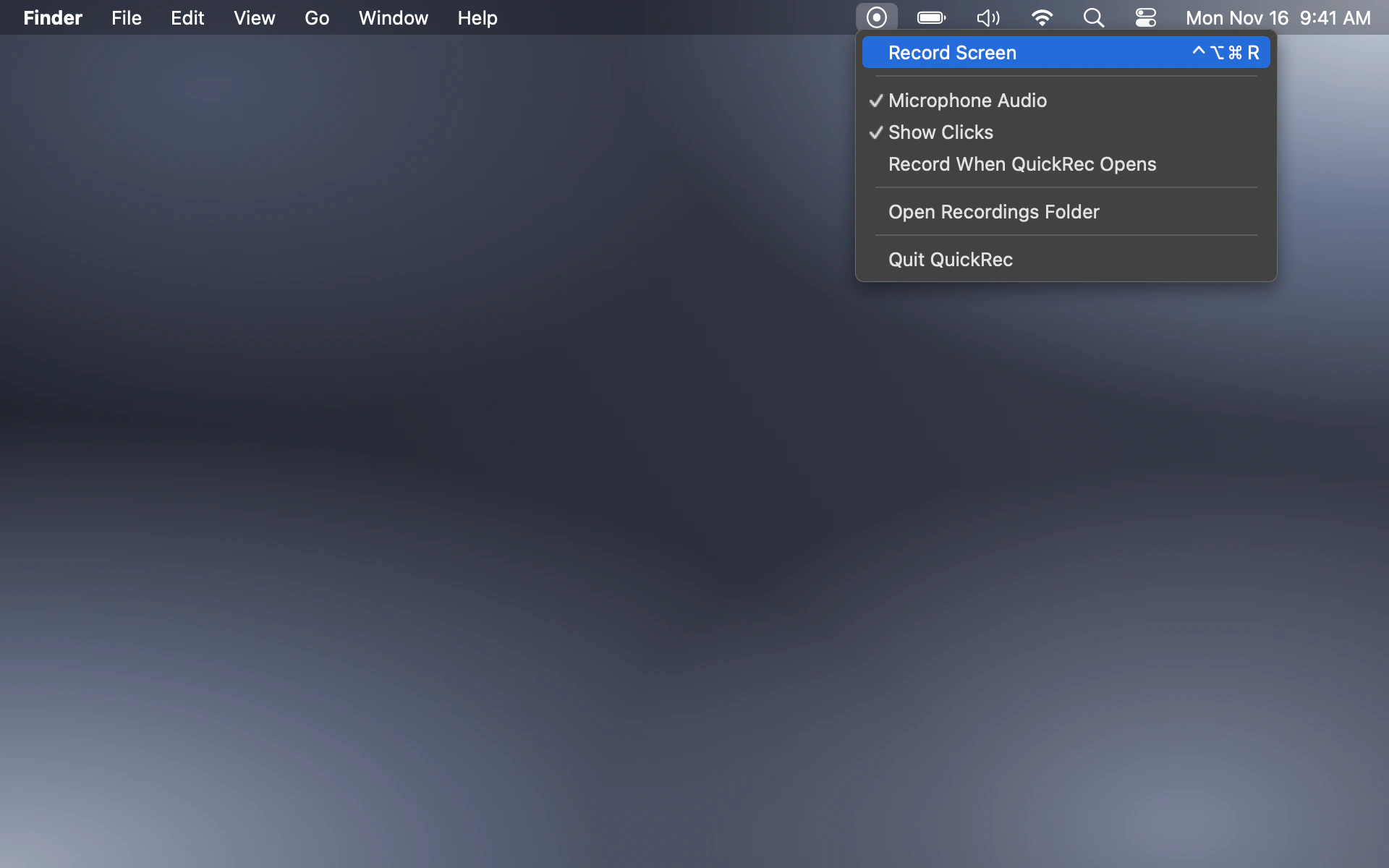
Three steps. Then just click.
- 01
Drag QuickRec from the disk image to Applications and open it.
- 02
The first time you record, allow QuickRec in System Settings › Privacy & Security › Screen & System Audio Recording, then open QuickRec again.
- 03
Click the icon in the menu bar or press Control + Option + Command + R. Click the red dot to stop.
Need a little help?
Where are my recordings?
In the QuickRec folder inside your Movies folder (Nagrania ekranu on a Mac set to Polish). Choose Open Recordings Folder in the QuickRec menu to go there.
I clicked Record and nothing happened.
QuickRec needs permission to record the screen. Open System Settings › Privacy & Security › Screen & System Audio Recording, turn on QuickRec, then quit and open QuickRec again. If macOS does not reopen it for you, open it from Applications.
I can’t see the red dot.
On a MacBook with a notch, macOS hides menu bar icons that don’t fit. Press Control + Option + Command + R, or open QuickRec again from Applications or Spotlight, to stop the recording.
Is QuickRec really free?
Yes. There is no trial, no license key and no account. QuickRec does not connect to the internet.
Does it record sound from my Mac?
QuickRec can record your microphone. System sound, such as audio from a video playing on your Mac, is not recorded.
Let’s work it out.
Questions, problems or ideas? Please include your macOS version and what you see on screen.
support@robiapps.comApple, Mac and macOS are trademarks of Apple Inc. QuickRec is an independent app and is not affiliated with or endorsed by Apple.